
Project Series Time & Expense Tools
Dynamics Project Series time and expense tools include PS Time & Expense and PS TimeReporter. Together, these tools make project-related time and expense management convenient and efficient. By eliminating the task of entering time and expense data via mundane spreadsheets or office-based network systems, PS Time and Expense and PS TimeReporter empower your employees, improving productivity and accuracy. Integration to Dynamics Project Series, Payables Management and Payroll allows employee time and expenses captured in PS Time & Expense and PS TimeReporter to be shared for project tracking, vendor payment, payroll and client invoicing.
Everyone wins with PS Time & Expense and PS TimeReporter
PS Time & Expense and PS TimeReporter benefit everyone involved in entering and approving time and expenses—employees, project managers, payables and payroll personnel alike—by automating each step.
Employees can record their hours and expenses the moment they complete their work, or whenever it’s most convenient. Managers can review and approve timesheets and expense reports with just a few clicks. All related information in Dynamics Project Series is instantly updated, giving project managers up-to-the-minute accurate information regarding employee utilization and project expenses. Client billing is ready to happen, as employee time and expenses are shared and printed to invoices. Pay records in U.S. Payroll are also updated, capturing employee timesheets and ensuring timely and accurate payroll processing. And, Accounts Payables batches are automatically created, allowing payables management staff to easily cut checks for vendor payment without re-keying any data.
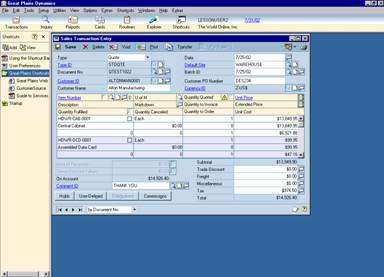
|
Time and expense information is shared throughout your system, eliminating data re-entry and potential inaccuracies.
|
PS Time & Expense Components
PS Time & Expense enables employees and managers to work in a variety of environments for submitting and approving time and expenses. Knowing that convenience and productivity are high on your list of requirements, PS Time & Expense utilizes a variety of technologies to deliver a comprehensive solution that provides the flexibility you need.
Web Time
It simply makes sense to use the Web for submitting timesheets. Web Time is a browser-based application for entering timesheets. Since it doesn’t require any special software, employees will be up and running in no time.
The Web Time component of PS Time & Expense allows home-based and traveling employees to enter hours via the Internet or corporate intranet. By simply opening their browser and moving to the appropriate URL, employees can easily enter time related to projects and cost centers in a calendar format. As well, employees can specify the appropriate billing type, and any documentation that should accompany the time submitted.
At the same time, security is maintained. Web Time—as well as all PS Time & Expense components—is password protected. Each employee can only see his or her timesheet information so payroll confidentiality remains intact. And, when submitting timesheets across various projects, employees only see the projects that they have been assigned to, ensuring accurate allocation across projects. As Information passes over the Web, it is encrypted using Microsoft Secure Socket Layering, keeping business information private.
Using the same browser-environment, approval managers can quickly view, modify and approve employee timesheets submitted via Web Time. And, because Web Time uses Microsoft web technologies and Microsoft SQL Server database, information is quickly shared throughout the rest of Dynamics business processing and reporting. Get your business on the Web and give employees a straightforward way of tracking their time.
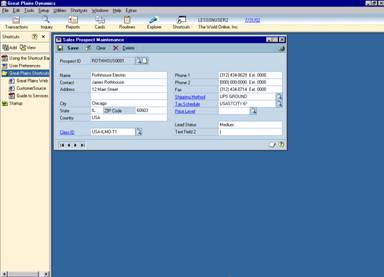 |
Via the Internet, employees enter timesheets, selecting the project and task that the time should be allocated to. Notes can be added to any day for documentation |
Web Expense
If you’ve ever traveled, you understand the often-complex process of creating and submitting expense reports. Often, this process means juggling and itemizing multiple receipts, calculating various currencies, and allocating it against various billable projects. With this picture in mind, Web Expense has taken this process to the web, giving employees a convenient and familiar location for submitting expenses.
Expenses can be allocated to projects and cost centers, tagged for client invoicing, and also documented for further justification. And, if multiple currencies are a part of the mix, Web Expense will automatically perform any currency translations with a click of a button.
Managers can approve expense reports in the same browser environment, drilling back on the expense report for greater detail when needed. And, just as Web Time, the Web Expense component of PS Time & Expense utilizes the same Microsoft technologies, ensuring you that your information is shared throughout your business management system - eliminating re-work and inaccuracies.
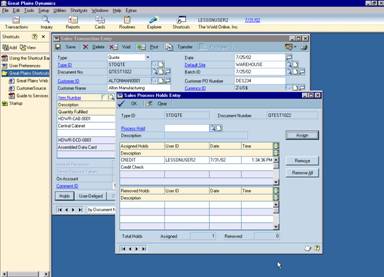 |
Selecting the project and the item, users can easily submit their expenses via an Internet browser. Drop-down lists allow all information to quickly populate the expense report.
|
Personal Data Keeper
While the web has certainly become the defacto standard for time and expense entry in many productive organizations, Microsoft Great Plains also provides a PC-based system for time and expense entry called Personal Data Keeper.
Offered as another component within PS Time & Expense, the Personal Data Keeper (PDK) enables employees and managers to submit and approve time and expenses conveniently when the Internet is not an option.
Whether you’re on an airplane, in the office, or in between, PDK enables employees to enter both time and expenses in an environment that appears much like Web Time and Web Expense.
In a calendar-based format, time can be allocated across projects and cost centers, noting the billing type and documenting the activities performed as necessary. Automatically, PDK identifies the user, and assigns the necessary rates and pay codes for use in client invoicing and payroll if necessary. Total quantities are tracked, allowing approval managers to accumulate total hours, costs and billable revenue all within one screen.
When used in a network environment, PDK updates Dynamics Project Accounting, Payables Management and Payroll systems in real-time, as timesheets and expense reports are approved. And, when employees don’t have time to submit their personal time and expenses, administrative professionals can enter PDK, and submit the necessary information as guided by their managers.
Offline, PDK enables employees to enter time and expenses via their PC on an airplane, hotel room, or anywhere in between. This spells convenience, synchronizing via a dial-up connection when it is available to the employee. As well, managers have the freedom to approve employee timesheets and expense reports offline, again, synchronizing with the system when it’s most convenient to do so.
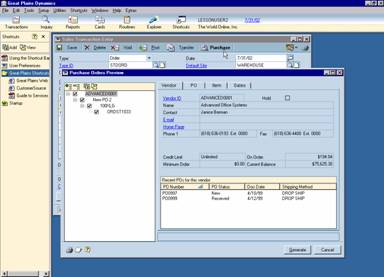 |
Managers can approve time and expense reports in PDK, allowing them to drill down for greater detail when items are in question.
|
Business has no boundaries, and likewise, PDK enables employees to work across country lines, translating values on timesheets and expense reports when necessary. This detail travels throughout Dynamics, enabling Invoicing and Payables Management to receive the information they need without any data re-entry.
PS
TimeReporter
Mobility is key in a fast-paced, efficient organization. And, as employees travel more, hardware is becoming smaller and more streamlined. To support this technology shift, PS TimeReporter enables time and expense capture via the Palm™ operating system.
Used as the operating platform of choice across various hand-held devices (often called personal digital assistants – PDAs for short), Palm offers an industry standard for time and expense capture in the most convenient way possible. Using this technology, PS TimeReporter enables employees, on the go, to enter timesheets and expense reports via their PDA. Hours can easily be typed in, or a graphical “time-line” can be sketched out, enabling an extremely easily, accurate method for collecting time.
Likewise, expense report screens are equipped with multiple “drop-down” section menus, limiting any typing necessary to get expense information documented and on its way to reimbursement.
Manager approvals happen in PS Time and Expense, integrating PS TimeReporter data directly into the system. When the employee is ready, he/she quickly synchronizes their PDA with their company system by way of a dial-up connection, transferring all data to Dynamics PS Time and Expense and the Project Series for approval, tracking, payroll, reimbursement and invoicing.
 |
This is an example of the time entry screen on the Palm platform. Screen colors may vary depending on the user’s hardware.
|

CompuAll, Incorporated Quality Solutions Since 1985
10061 Talbert Avenue #200
Fountain Valley, California 92708 USA
Phone: (714) 964-2140 Fax: (714) 964-1491
For a demo or more information E-Mail us at info@compuall.net for more information.